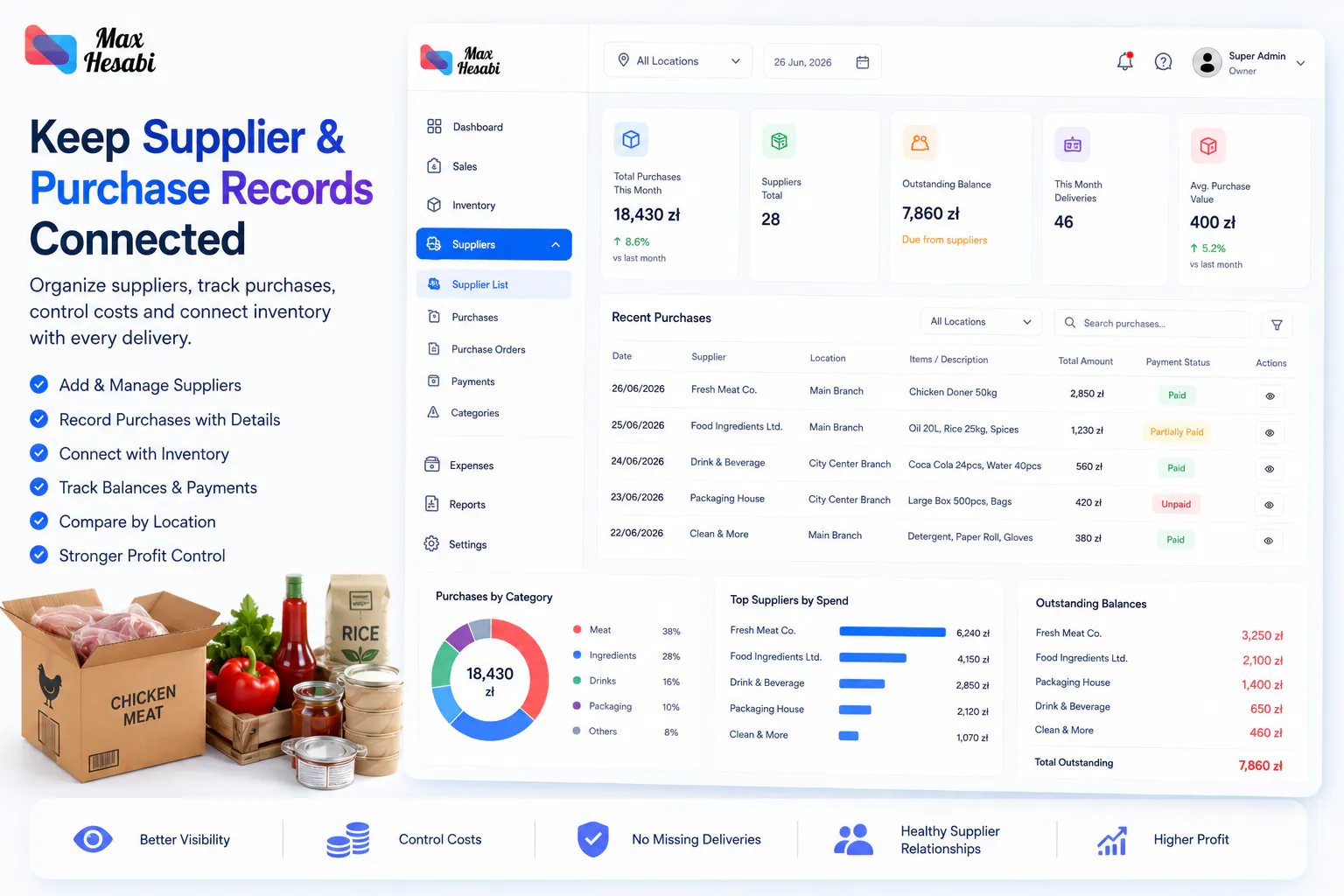
How to Add Suppliers and Purchases in Max Hesabi
Learn how to create supplier records, record purchases, connect costs with inventory, track supplier balances, and keep restaurant purchasing organized in Max Hesabi.
Keep Supplier and Purchase Records Connected
Suppliers are part of daily restaurant operations. Meat, ingredients, drinks, packaging, cleaning supplies, and services all affect cost, stock levels, and profit. When supplier records are scattered across invoices, messages, and spreadsheets, owners lose visibility.
Max Hesabi helps restaurants, kebab shops, cafes, and food businesses organize suppliers and purchases so costs can be connected with inventory, expenses, and reporting.
Step 1: Add Your Main Suppliers First
Start with the suppliers your business uses most often. You do not need to add every small vendor immediately. Focus on suppliers that affect daily operations, inventory, and cash flow.
Common supplier types include:
- Meat suppliers
- Ingredient suppliers
- Drink suppliers
- Packaging suppliers
- Cleaning supply vendors
- Service providers and recurring business costs
Adding the most important suppliers first keeps the setup practical and helps managers use the system correctly.
Step 2: Use Clear Supplier Names
Supplier names should be easy for owners, admins, and managers to recognize. Avoid short or unclear names that may confuse the team later.
If you use multiple suppliers with similar products, include enough detail to tell them apart. Clear supplier names make purchase history, balances, and reporting easier to review.
Step 3: Record Purchases with the Right Details
Every purchase should include the details needed to understand what was bought, where it went, and how it affects costs. This is especially important when a business has multiple locations.
A useful purchase record should include:
- The supplier
- The location that received the purchase
- The purchase date
- The purchased items or category
- Quantity or amount where relevant
- Total cost
- Notes about missing, damaged, or unusual items
Step 4: Connect Purchases with Inventory
Supplier purchases are more useful when they connect with inventory. If a meat delivery arrives, the purchase should help explain both the stock increase and the cost behind it.
Connecting purchases with inventory helps owners understand:
- Which items are being bought most often
- Which suppliers affect stock costs the most
- Whether purchases match actual stock usage
- Which locations buy more than expected
- Where damaged or missing stock may be affecting profit
Step 5: Track Supplier Balances and Payment Status
Supplier balances help owners understand what has been purchased, what has been paid, and what may still be owed. Keeping this information inside Max Hesabi reduces the need to search through messages or invoices later.
Use supplier records to review purchase history, payment status, recurring costs, and the relationship between supplier spending and location performance.
Step 6: Attach Supplier Costs to the Correct Location
If your business has more than one branch, supplier costs should be assigned to the correct location. This keeps profit reporting accurate and makes branch comparison fairer.
A purchase for one kebab shop should not affect the reports of another restaurant location unless it was actually shared or transferred.
Step 7: Review Purchases Against Sales and Stock Usage
Purchases should not be reviewed alone. A high purchase amount may be normal if sales were high, but it may be a warning sign if stock usage, waste, or expenses increased without matching revenue.
Compare purchases with:
- Daily sales
- Inventory usage
- Damaged or wasted stock
- Expense reports
- Supplier balances
- Location profit reports
Step 8: Build a Regular Purchase Review Routine
A simple review routine helps owners catch issues early. Check supplier purchases weekly or monthly, depending on how often your business orders stock.
Useful review questions include:
- Which suppliers were used most often?
- Did purchase costs increase this month?
- Which location bought more than expected?
- Were any items missing, damaged, or returned?
- Do supplier costs match stock usage and sales?
- Are any supplier balances overdue or unclear?
Common Mistakes to Avoid
- Recording purchases without selecting the supplier
- Assigning supplier costs to the wrong location
- Using unclear supplier names
- Forgetting to record missing or damaged delivery items
- Reviewing supplier costs separately from inventory and sales
- Waiting until month-end to clean up purchase records
Recommended Supplier and Purchase Checklist
Main suppliers added
The suppliers used most often by your restaurant or food business are ready in Max Hesabi.
Supplier names are clear
Owners and managers can identify vendors without confusion.
Purchases include location
Every purchase is connected to the correct restaurant, kebab shop, cafe, or branch.
Costs are recorded
Purchase amounts are available for expense and profit reporting.
Inventory is connected
Important stock purchases can be connected with item usage and stock movement.
Balances are reviewed
Supplier payment status and purchase history are checked regularly.
What to Set Up Next
After suppliers and purchases are organized, the next guide should cover staff and payroll. Connecting staff costs with sales, expenses, purchases, and inventory gives owners a clearer view of real location profit.